
Carried forward
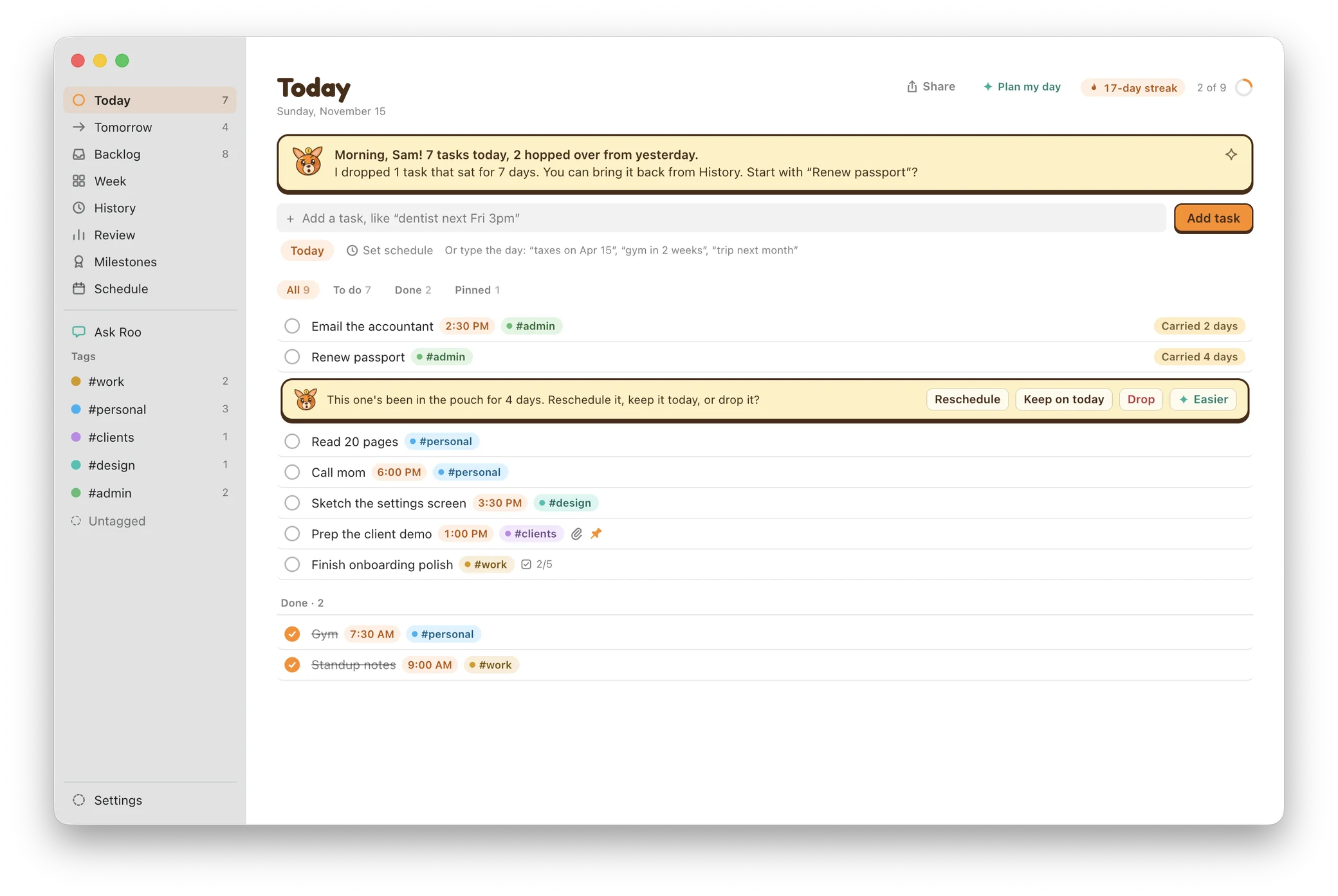
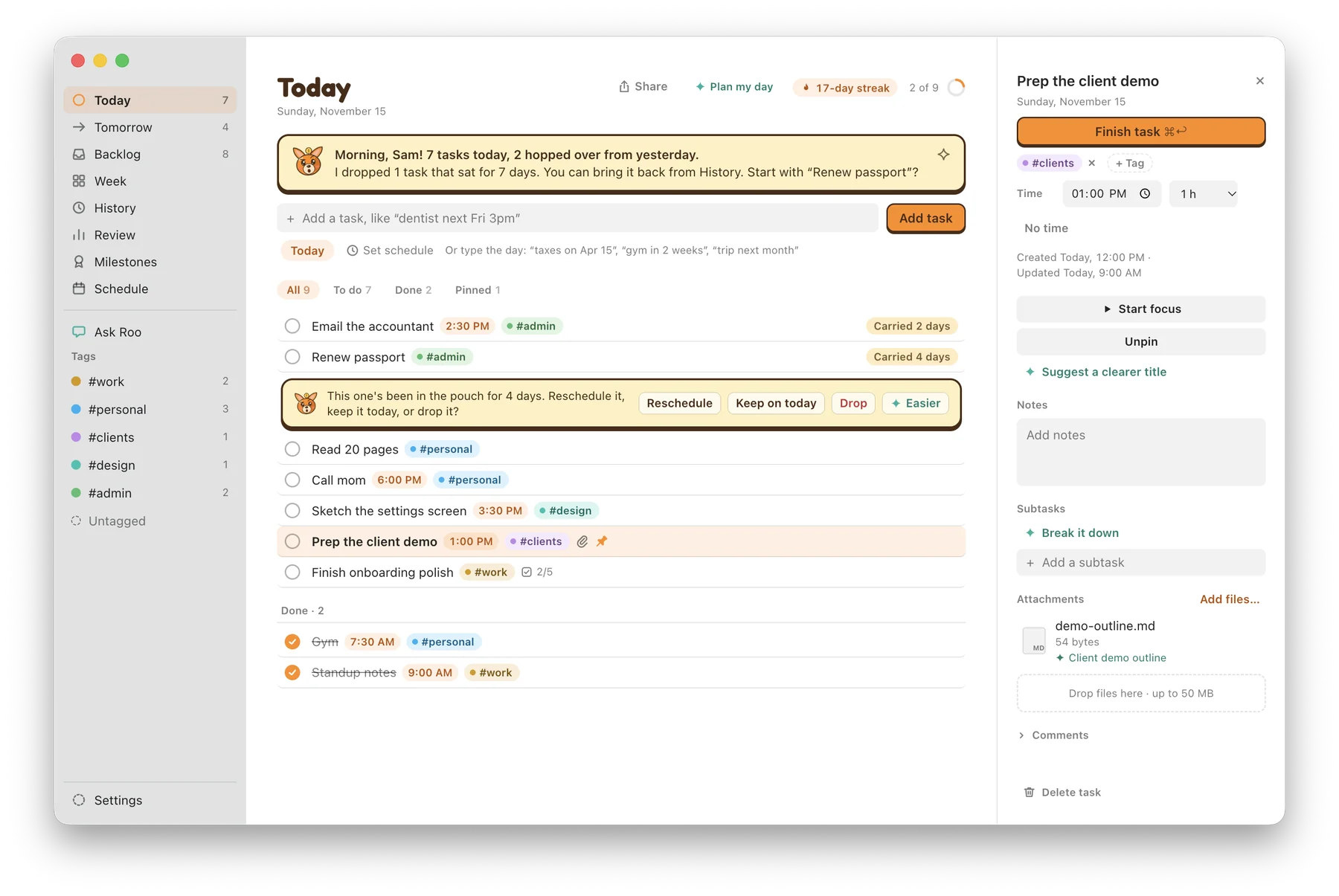
Unfinished tasks hop over to the next day on their own. When one sits too long, Roo asks whether to reschedule it, keep it, drop it or make it easier.
A friendly daily planner for your Mac. Plan today, finish what you can, and let Roo carry the rest, so nothing slips through the cracks.

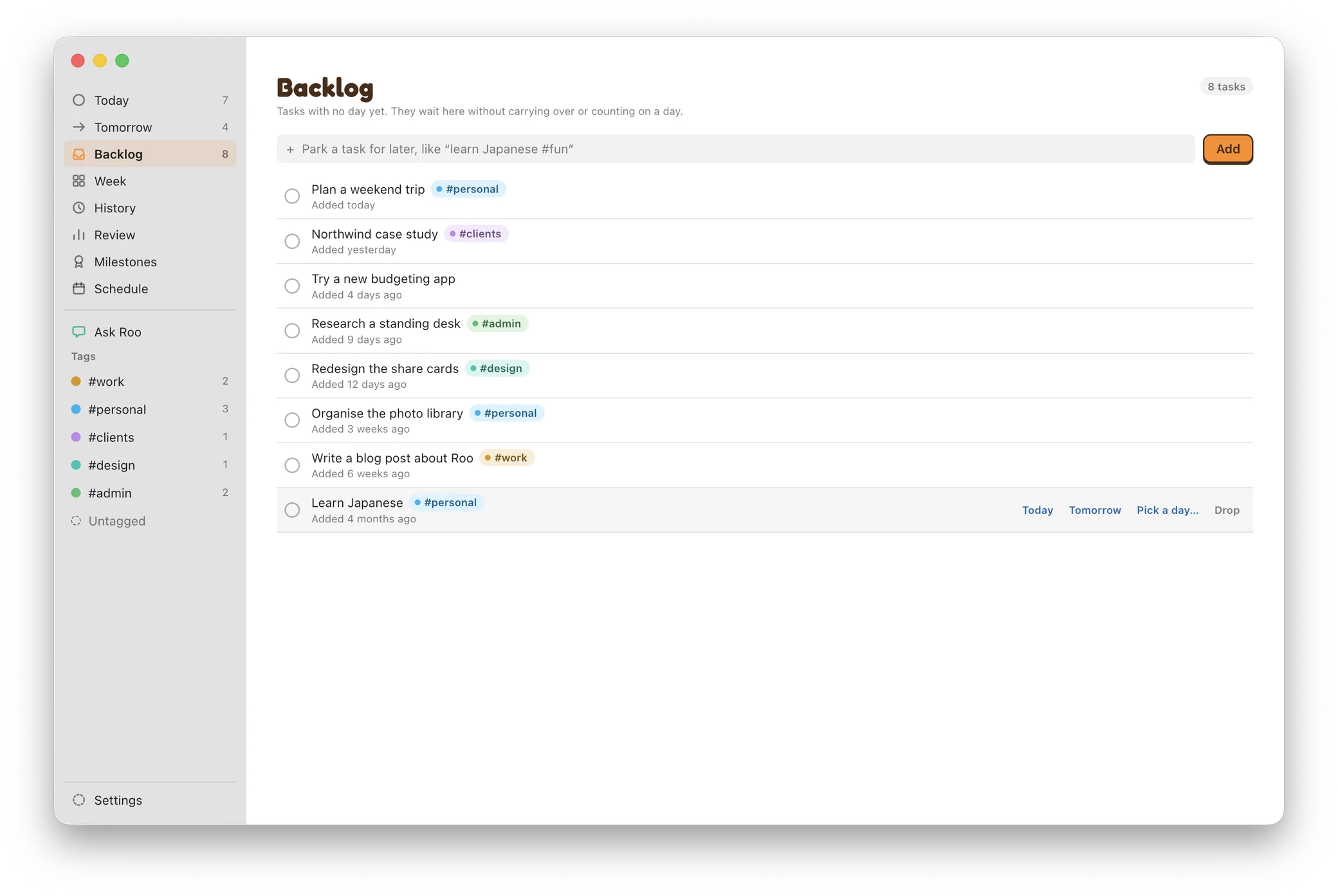
Park the tasks that don't have a day yet. They wait in the Backlog without carrying over, nudging you, or counting on a day, until you give them one.
The mascot, logo and app icon are redrawn at a much higher resolution, so they stay crisp on Retina screens.
Back up… and restore carry your Backlog tasks too. Roo also saves a copy of your tasks before upgrading them.
On a Mac without Apple Intelligence, the smart features simply show as off, and everything else works as usual.
A quick tour of a day with Roo, from the morning briefing to the Backlog.

Unfinished tasks hop over to the next day on their own. When one sits too long, Roo asks whether to reschedule it, keep it, drop it or make it easier.
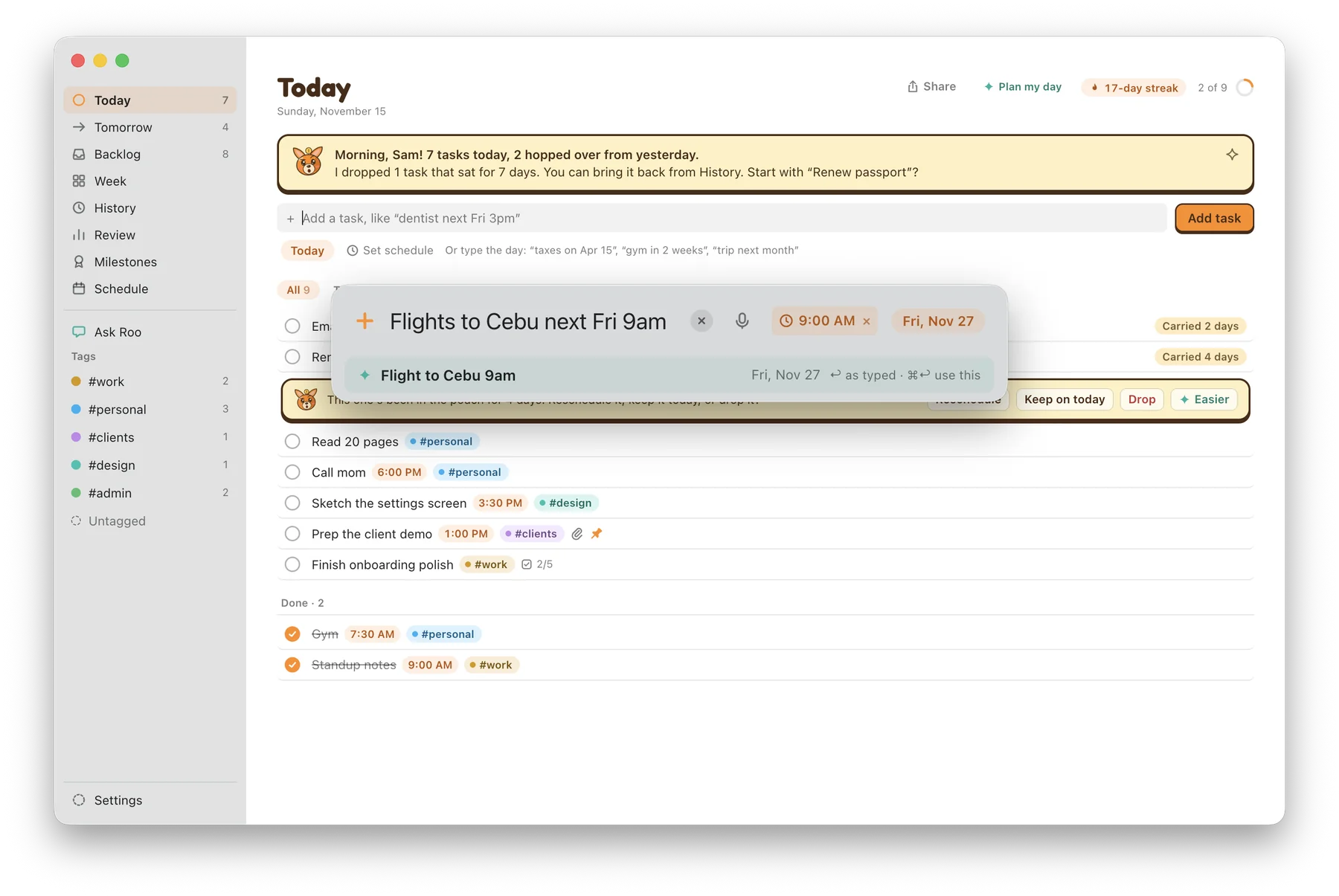
Press ⌥ Space in any app and type or say the task, like "dentist next Fri 3pm". Roo picks out the day, the time and the tag.
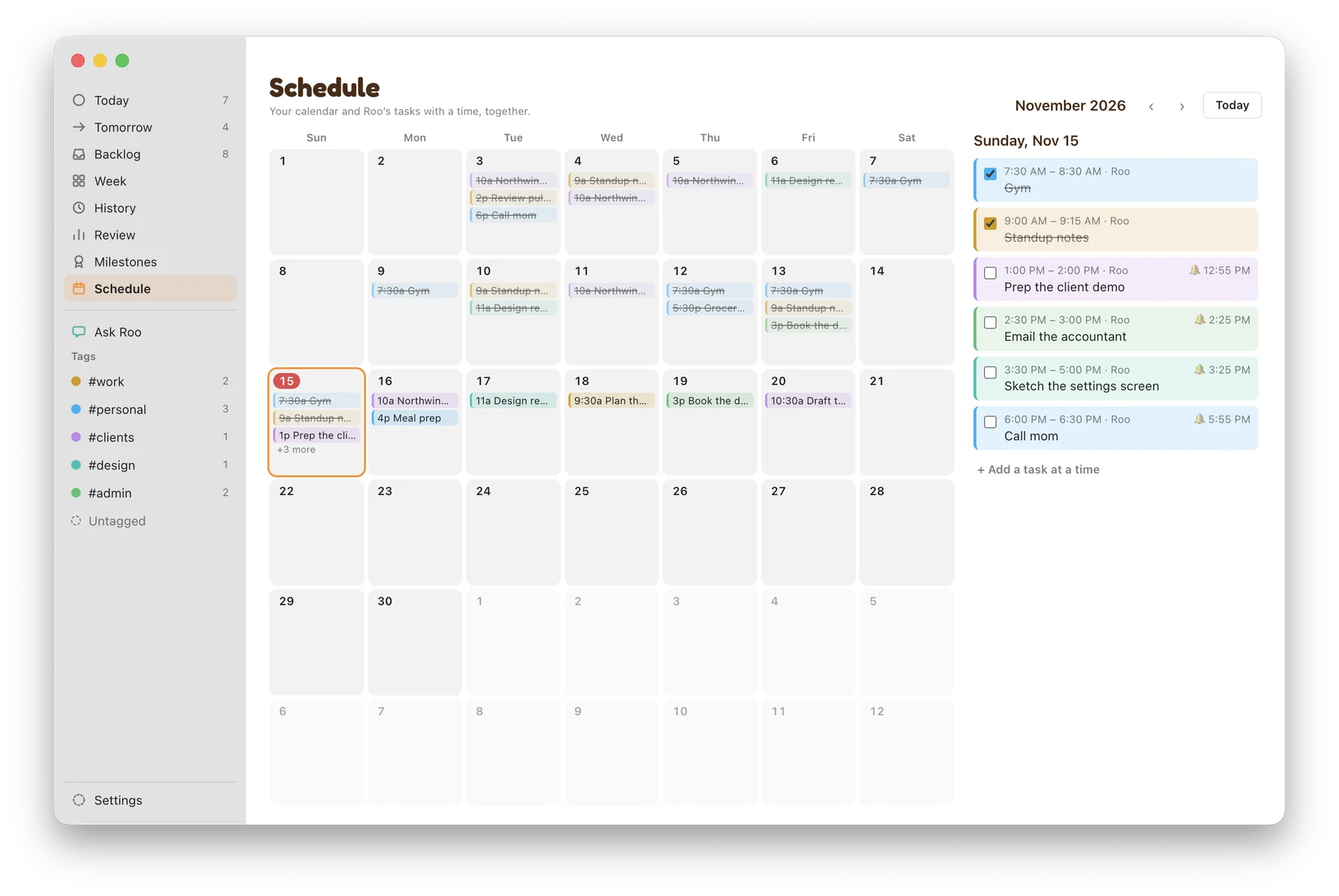
Give a task a time and a length. If it clashes with something on your calendar, Roo says so and offers the next free slot before anything is saved.
See a month of timed tasks next to your Mac calendars. Roo only writes to its own "Roo" calendar; your other calendars are only read.
A heads-up 5 minutes before each timed task. Once its time is over, Roo asks "Did it happen?" so you can mark it done, move it or drop it.
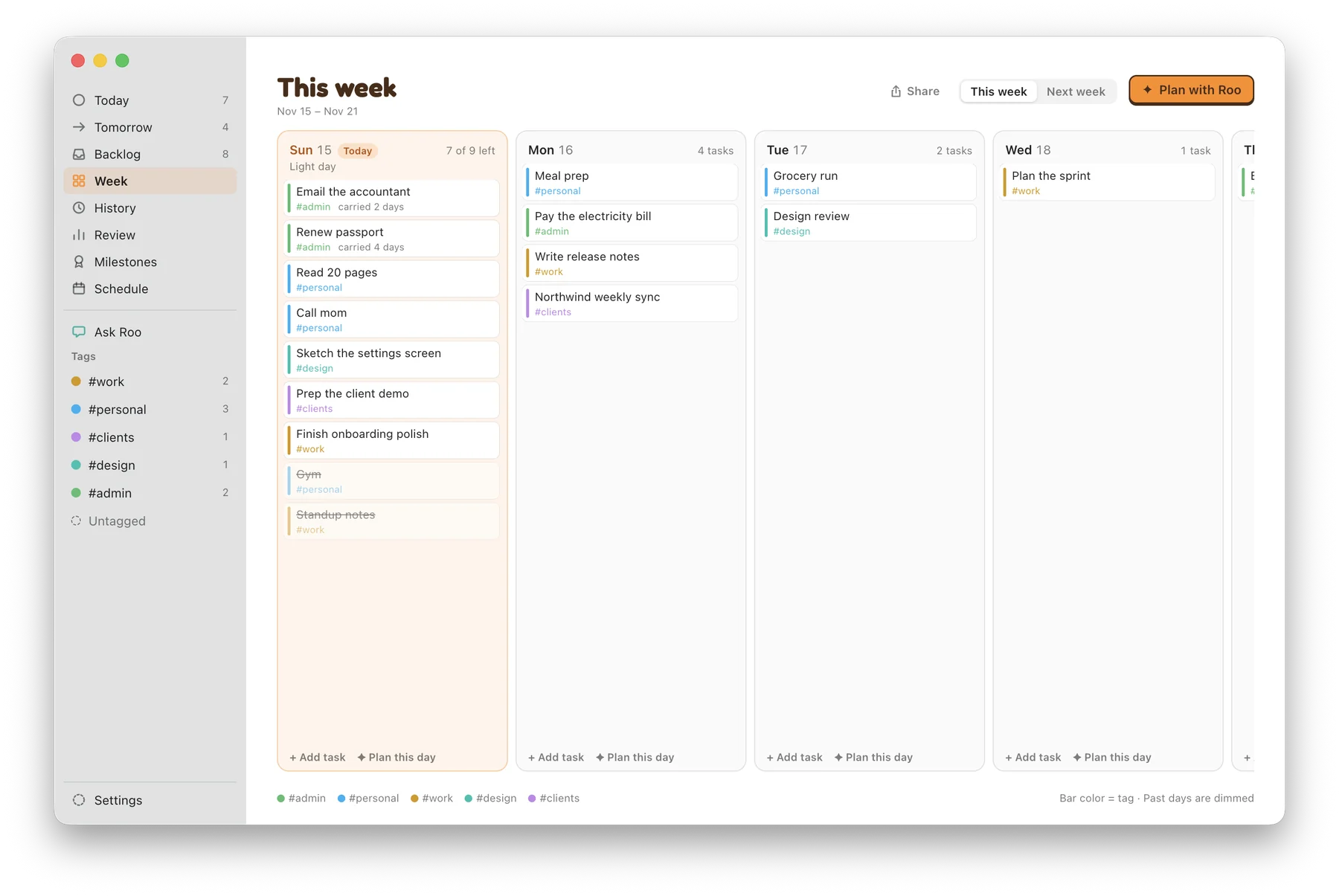
See the whole week at a glance. Share your notes or files and Roo suggests a plan to review and confirm. Paste a messy note and Roo pulls out the tasks.
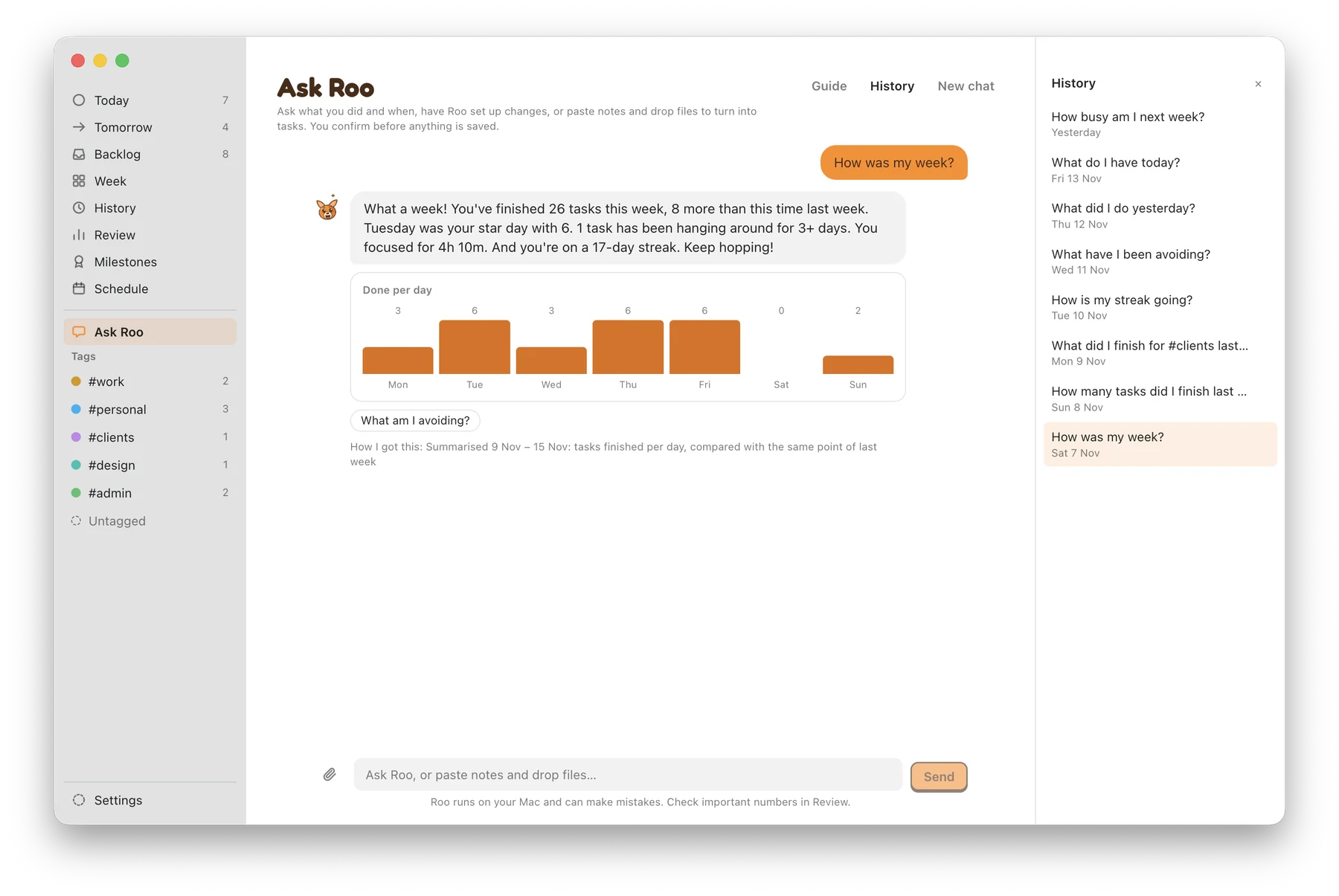
"What did I finish last week?" "Move the dentist to Monday 10am." Ask about your tasks or change them in plain words, worked out on your Mac. See what to ask
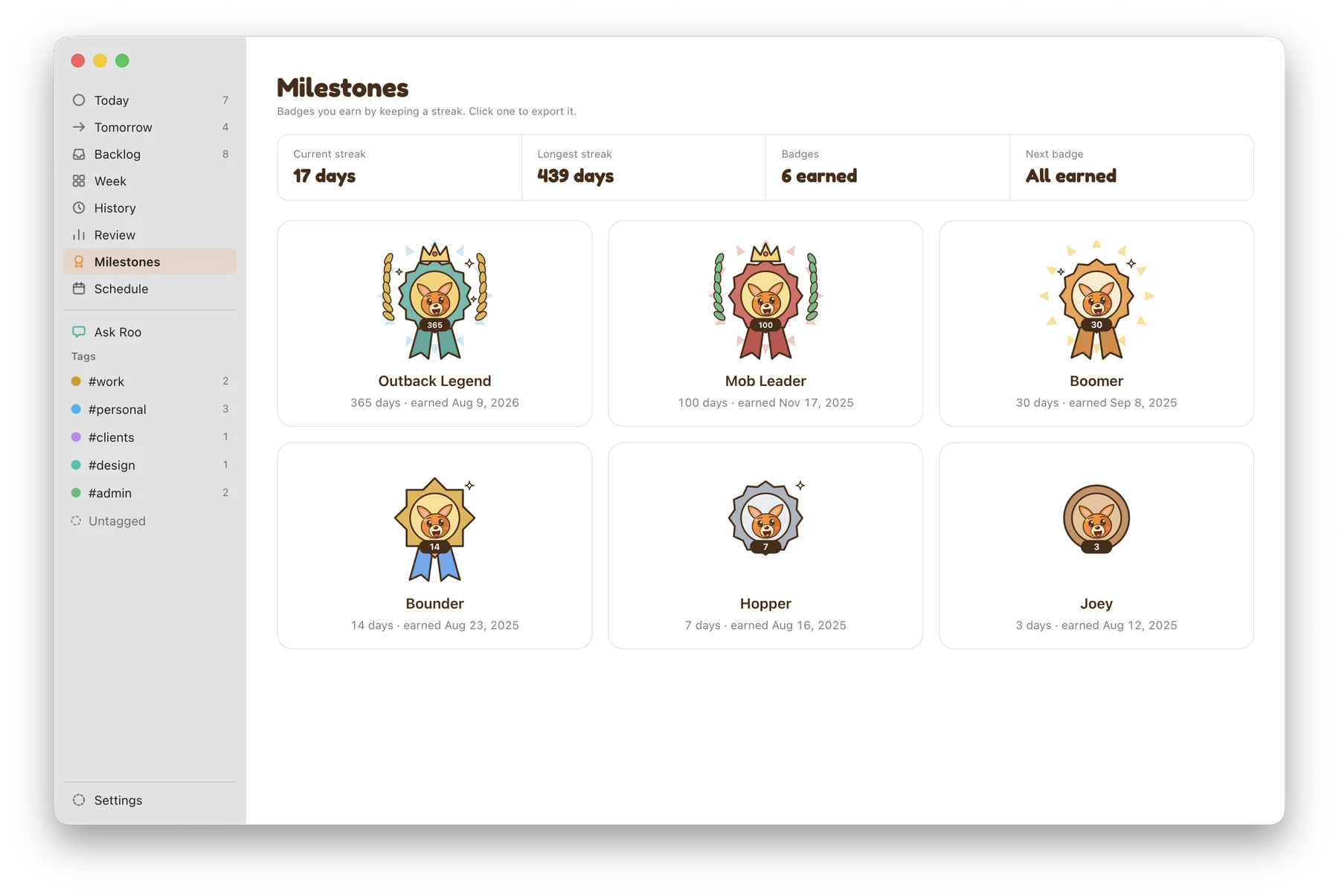
Finish a task each day to grow your streak and earn six badges, from Joey at 3 days to Outback Legend at 365. Export cards of your day, week or badges to share.
Menu bar and desktop pins, tags, subtasks, notes and attachments with Quick Look, a focus timer, Light and Dark mode, and keyboard shortcuts throughout.

Yes. Ask Roo, Plan with Roo, Brain dump, summaries and date and tag suggestions need it. Everything else, from carried tasks to the Backlog and streaks, works without it.
No account, no sign-up and no cloud. Your tasks live on your Mac. Back them up to a single file any time from Settings, and Time Machine includes them too.
Tasks you want to keep but can't put on a day yet: "learn Japanese", "sort out the garage". They don't carry over, don't nag, and don't count until you give them a day.
No account, no sign-up, no analytics, no ads. Roo's smart features use Apple Intelligence on your Mac, and dictation runs on your Mac too.